 Làng AI
One session runs the others. You make the calls.
Làng AI (say “lahng”, Vietnamese for village) is a work board on your own machine where one agent session supervises the rest. You give it a job in a sentence. It opens a worker for the job and sends you only the decisions that need a human, on your laptop or your phone.
Public release coming soon.
Bản công khai sắp có.
Free for personal and noncommercial use, not licensed for work at a company. Needs Python 3.9+ and one AI CLI already signed in.
Ten tabs, and you are the scheduler
You have ten terminal tabs, each with an agent you meant to check. A question has been waiting an hour in the tab you didn’t open. One agent said “done” and wasn’t. One account hit its limit while the other sat idle. And none of it can be touched from the queue at the bakery. The agents work fine. What’s missing is someone to keep track of them.
How it works
Paste one sentence
Give your AI CLI the install line. It follows INSTALL.md, does a dry run first, asks a few first-run questions on the board, and runs one harmless test job. You only click what an agent can’t, such as a sign-in or an OS permission box.
Say the job
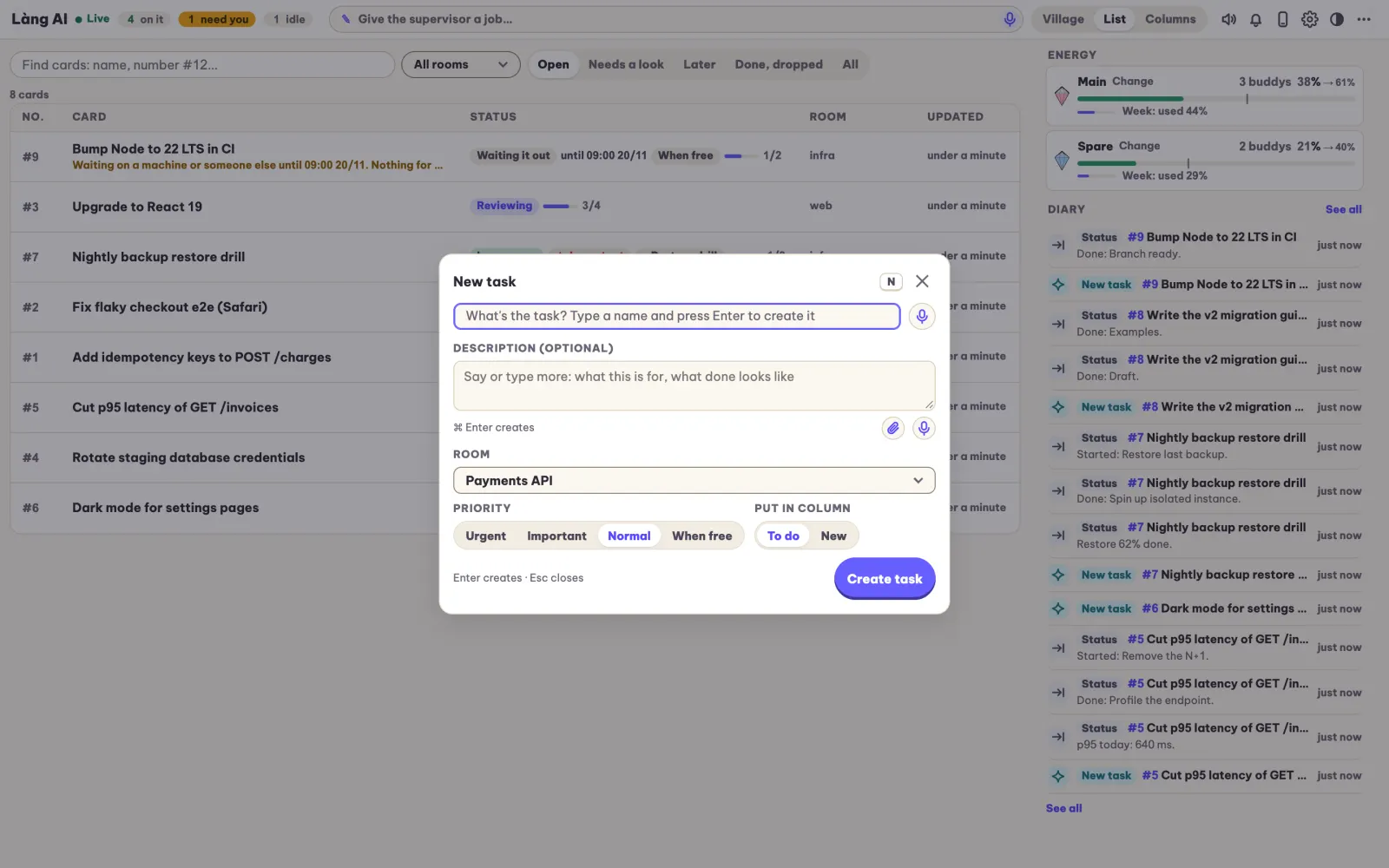
Type it or speak it, one sentence is enough. The supervisor turns it into a card with todos and a short GOAL / DONE / NEXT summary, then opens a worker session with a model sized to the job.
Answer what needs you
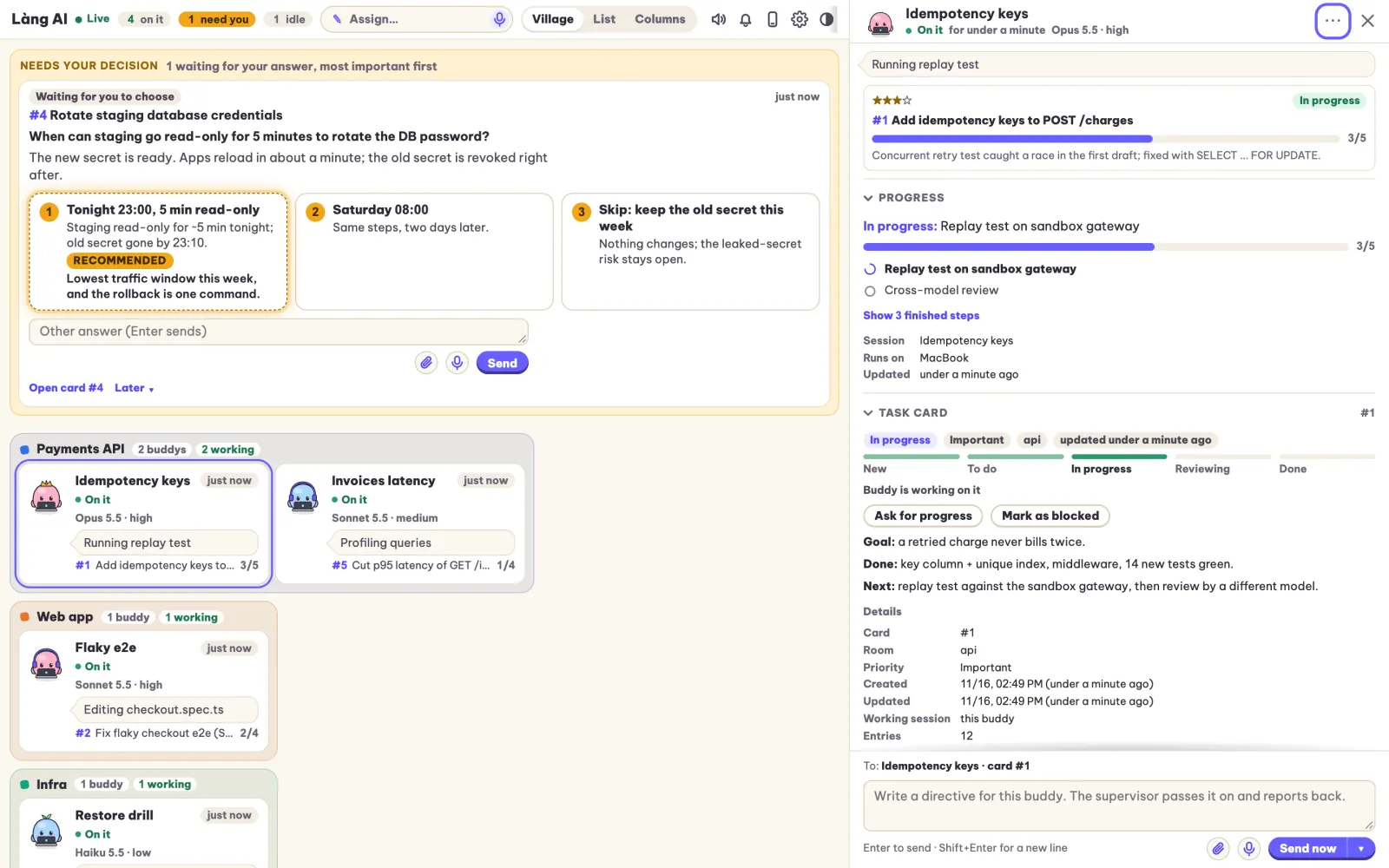
Questions arrive as decisions, each with a recommended option. Answer from your laptop or your phone; the answer reaches the worker that asked. Everything else waits on the board until you want to read it.
Everything a supervisor needs, nothing you have to babysit
One session runs the rest
Each job becomes a card with todos, progress and a short GOAL / DONE / NEXT summary, and a worker session is opened for it. When you answer on the card, it reaches the right worker. If that worker’s terminal is gone, the board restores the session or opens a new one from the card alone.
- Before its context or quota runs out, the supervisor hands off and the next one picks up from the board
- P0 jobs pause the others, which then resume in order
- Finished idle tabs close to free RAM, and the card keeps the work
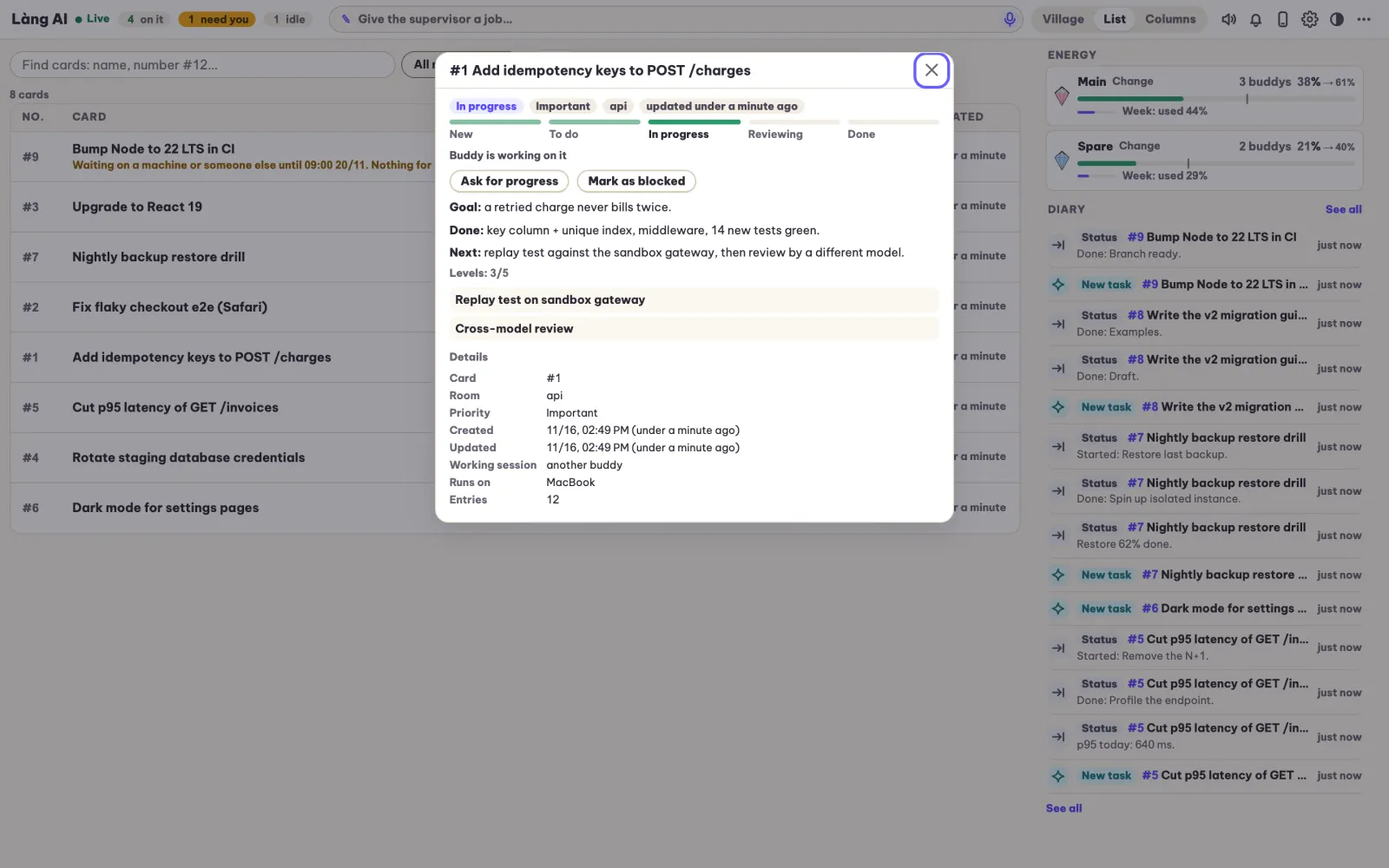
Every question in one queue
Every question an agent has for you becomes one item tied to its card. The recommended option comes first, and every option says what happens if you pick it.
- No question left sitting in a tab you didn’t look at
- Answer by tapping an option, typing, or speaking
- A push notification when a question or a finished job is waiting
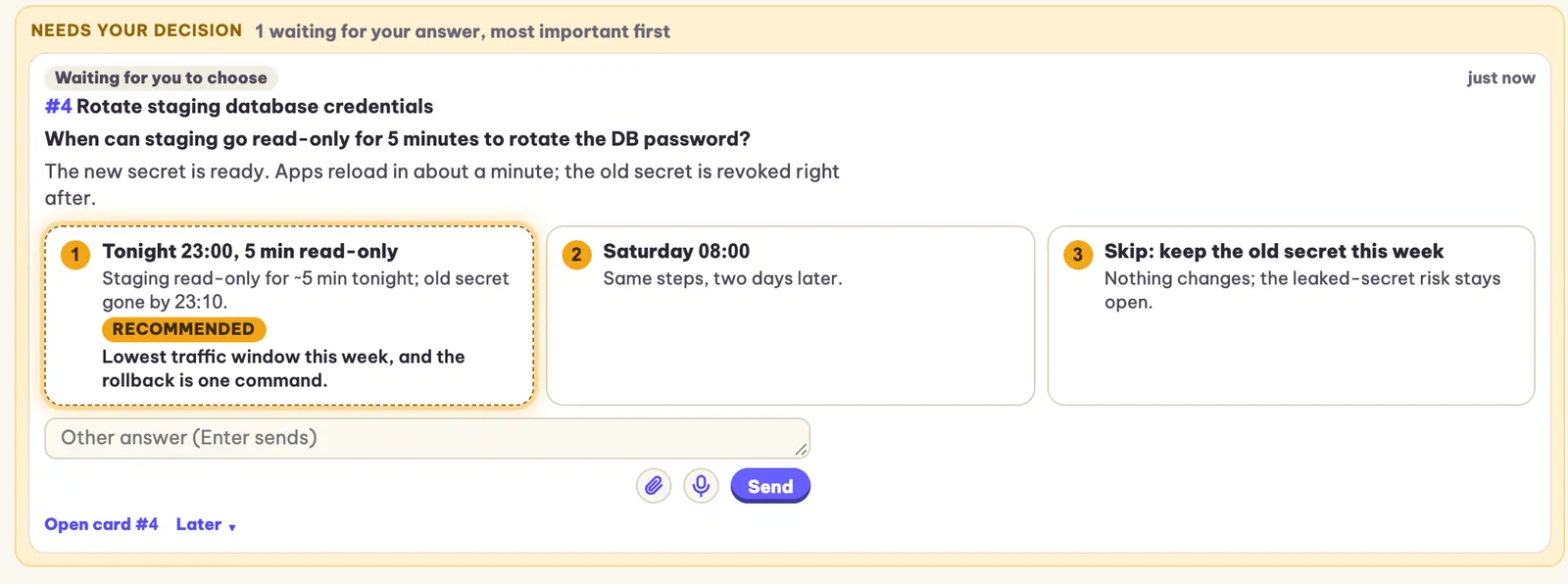
Built for the phone, voice in every box
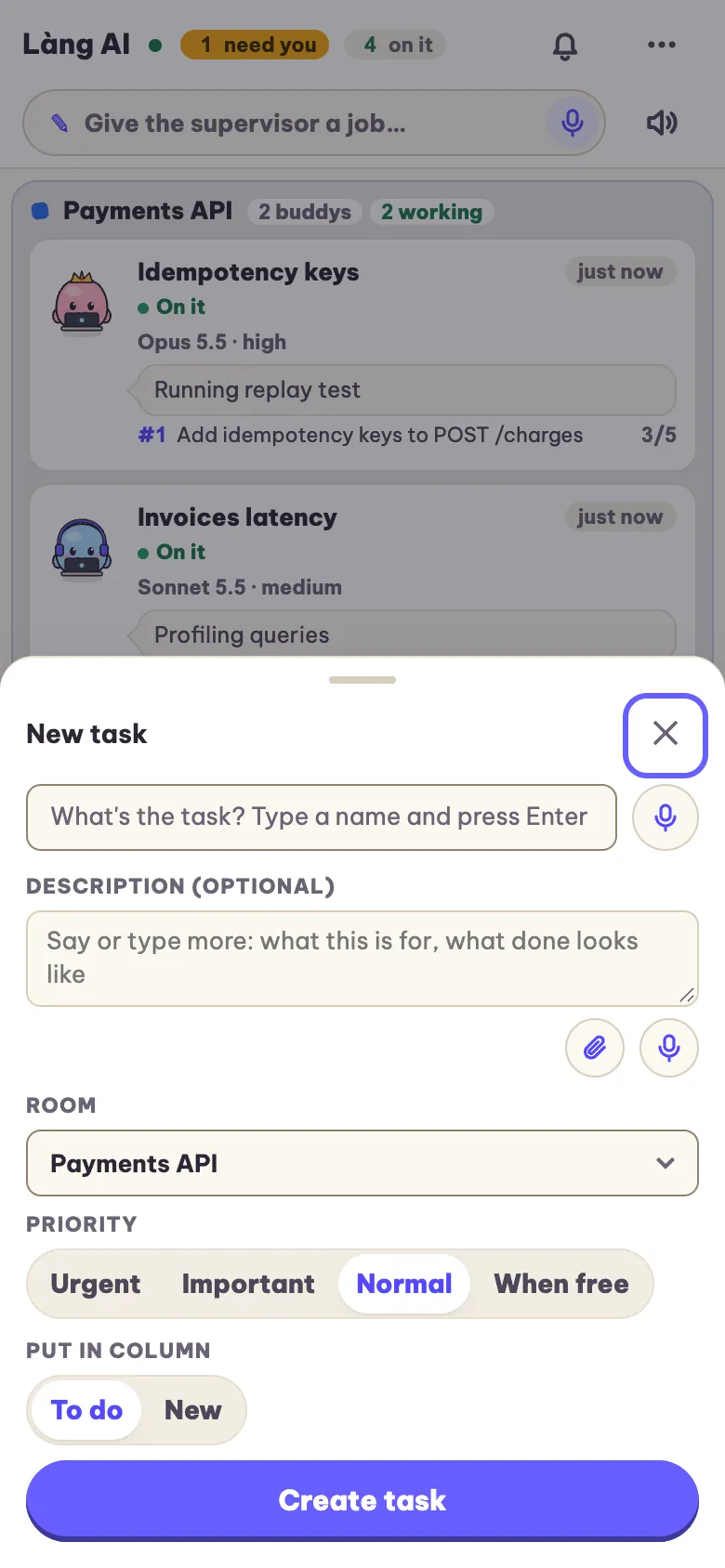
It’s an installable web app with swipe between views, pull to refresh and bottom sheets. Voice input works in every box once you add a speech key or run whisper.cpp locally: words appear as you speak, and nothing is sent by voice alone. On desktop, hold Space to talk.
- Push notifications whose text the push service never sees
- Pair your phone over Tailscale, LAN or Cloudflare Tunnel
- Speech uses your own Soniox, Deepgram or ElevenLabs key, or local whisper.cpp; Chrome on Android uses its free built-in engine
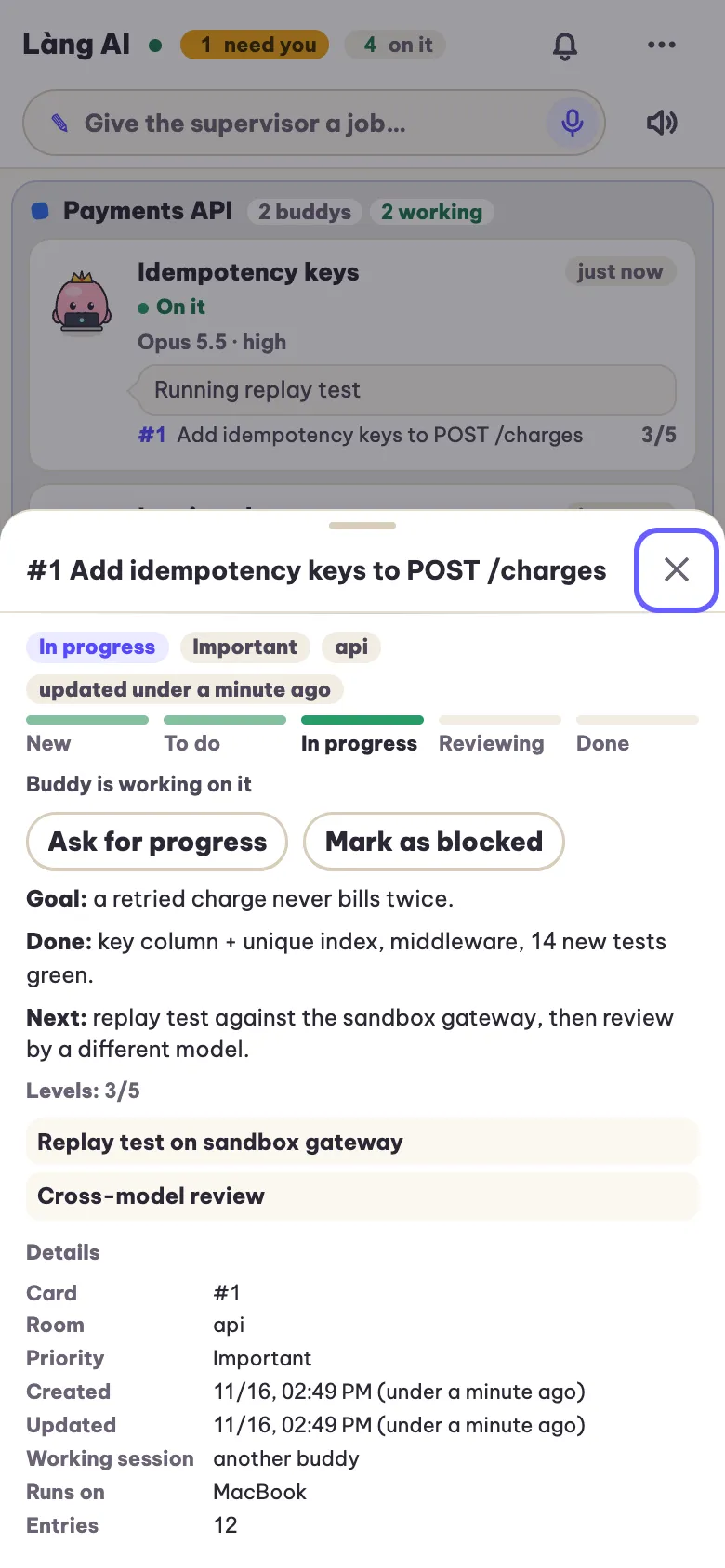
“Done” stays a claim until there’s proof
A worker’s “done” stays a claim until a link, screenshot, file or readback is on the card. A hook refuses any reply that quotes a percentage without a source, or that describes an image the agent never opened. Agents can still be wrong, but they have to show their work.
- No session can approve its own review
- Risky changes (money, auth, anything irreversible or public) go to a reviewer from a different model family
- That second-family review is a standing rule the supervisor follows; the board itself enforces the no-self-approval part
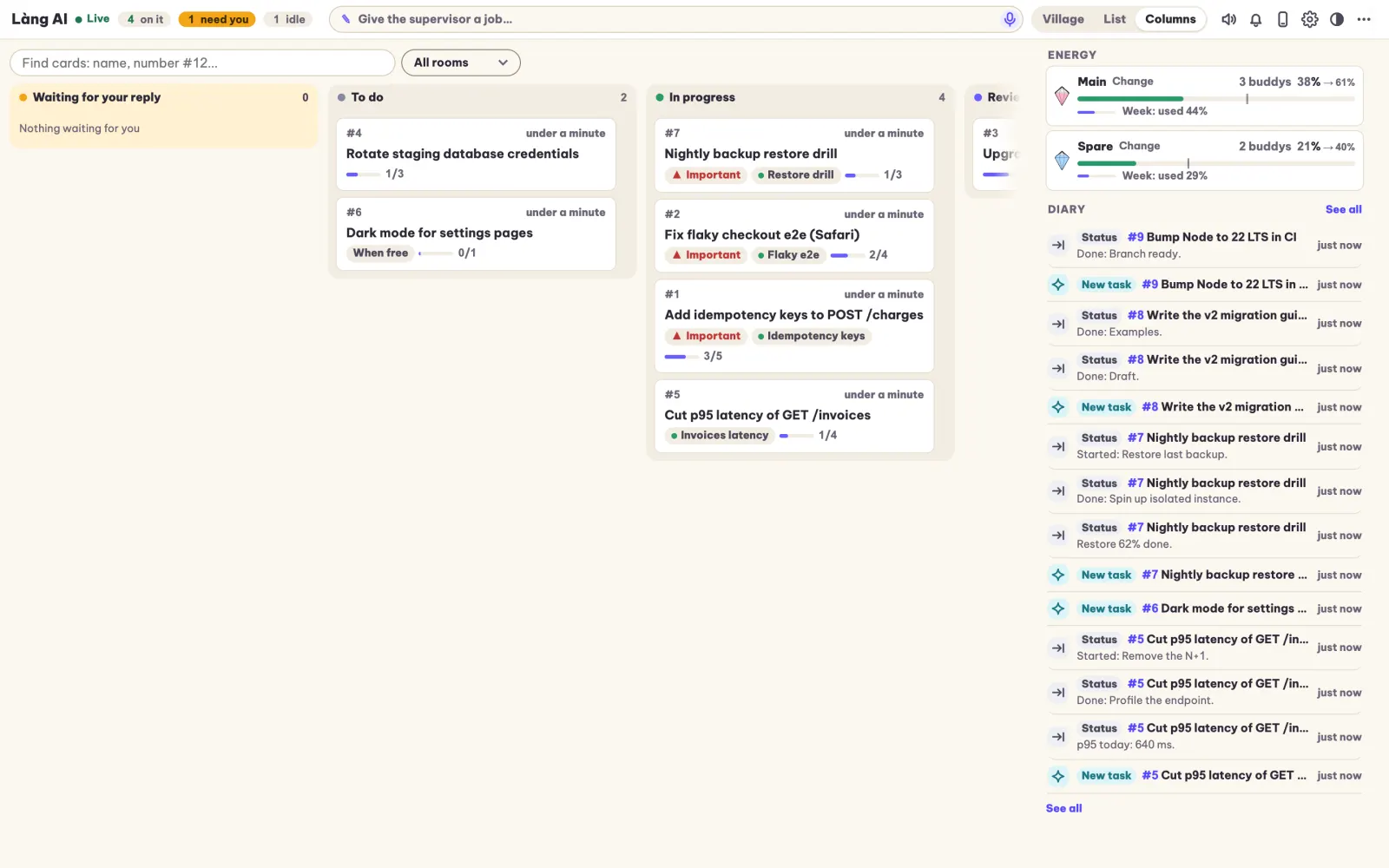
Spend quota where there’s some left
The energy meter shows 5-hour and weekly usage for each Claude account, plus the projected use at reset. New work goes to the account with headroom. On first start, Làng checks which models your signed-in CLIs offer, then sends small jobs to small models and hard ones to big ones.
- One account no longer hits its limit while another sits idle
- A projection at reset, not just usage so far
- Quota tracking covers Claude Code accounts only, for now
With Orca, without it, on three OSes
With Orca on macOS you get the fullest version, with workers in Orca tabs and account profiles. Without Orca, workers run in tmux or as headless background processes, or you can use the board on its own.
- macOS, Ubuntu and other Linux
- Windows 10/11: the installer turns on WSL and sets up its own Linux
- Workers can be Claude Code, Codex, Gemini CLI, Grok or opencode
Closed until you open it
The board listens on 127.0.0.1 only. Phone access is opt-in, and it is switched on only after the board has proven that it refuses an unauthenticated request. New devices pair with a QR code plus 4 digits and stay read-only until you approve them.
- Secrets in notes are redacted before they are stored
uninstallremoves exactly what the installer added, read from a ledger- Feedback issues are drafted with paths, emails, keys and hostnames stripped, and you press Submit yourself
No npm, no build step, updates itself
The server is the Python standard library plus SQLite. The pages are plain ES modules, and live updates arrive over server-sent events. Releases install while the machine is idle, test themselves, and roll back automatically if the self-test fails.
- Releases are signed with ssh-ed25519
- Updates are automatic on macOS; on Linux the installer prints one cron line
- About 3,280 Python tests and 308 browser checks
What it looks like
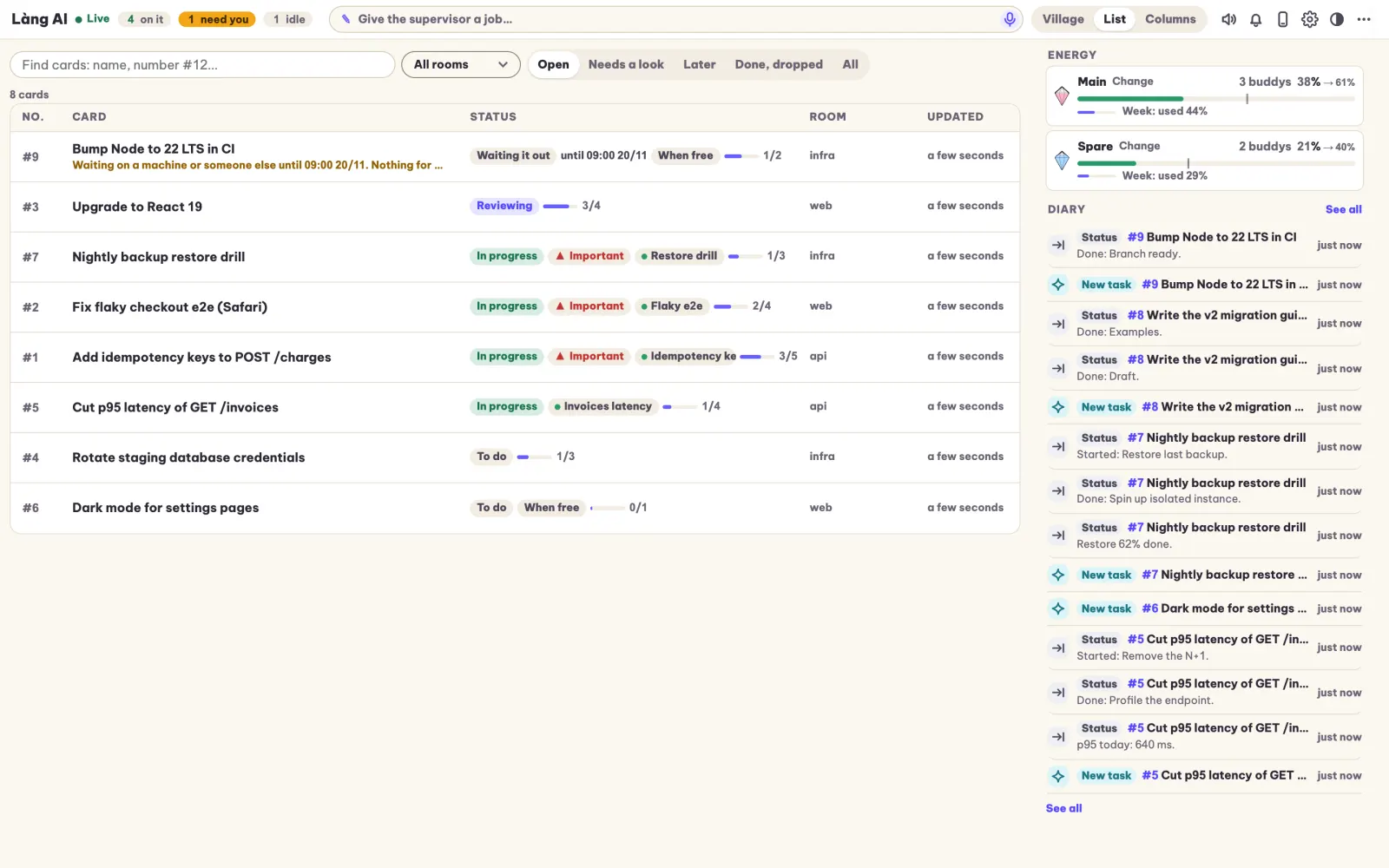
In the village view, each live session is a little buddy at a desk; its animation is its real state, and each room is one of your projects. An idle buddy always says why it is resting: waiting for you, blocked, queued, or waiting until a set time. If that’s too cute for you, there are also list and kanban views and a diary of everything that happened.
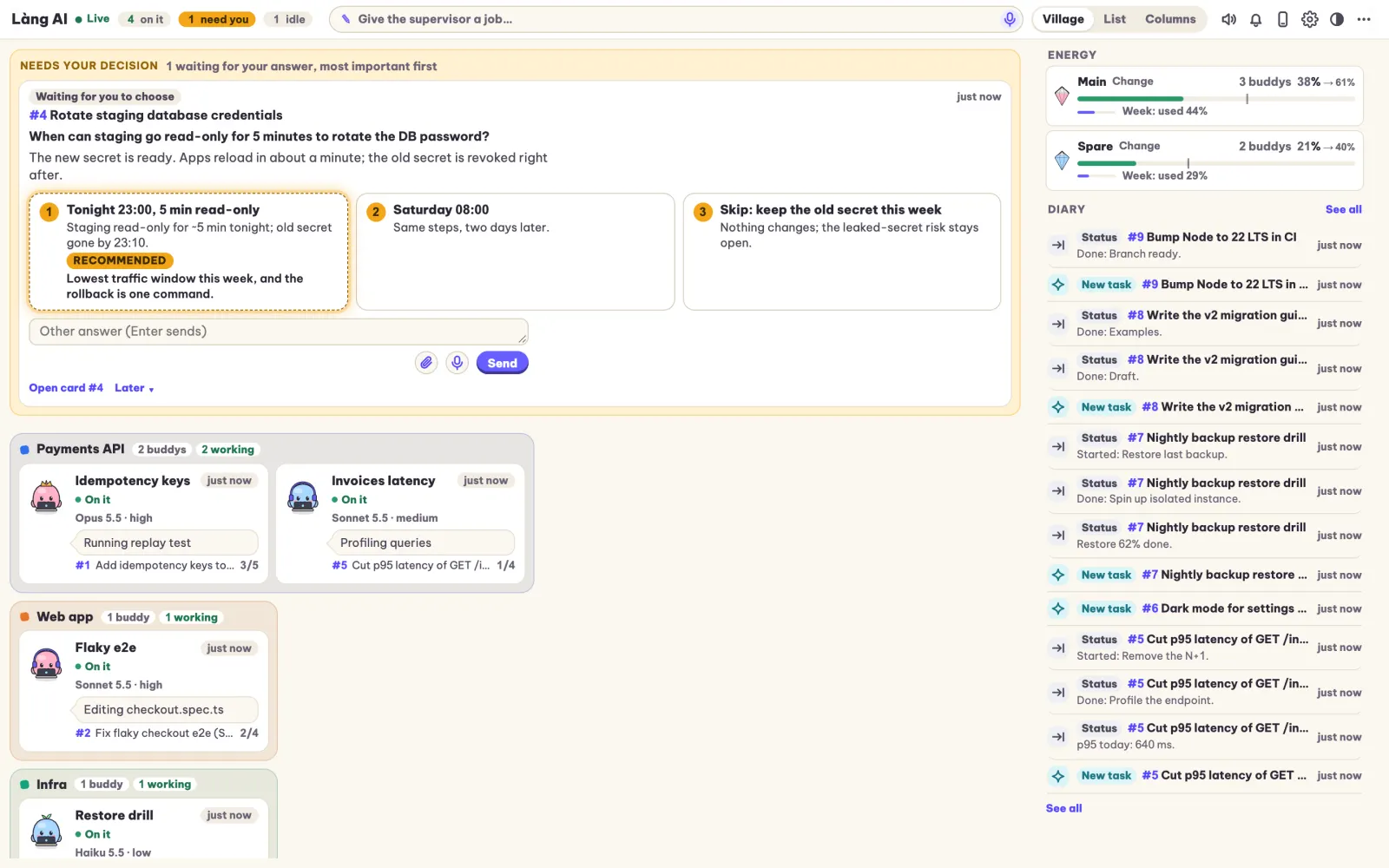
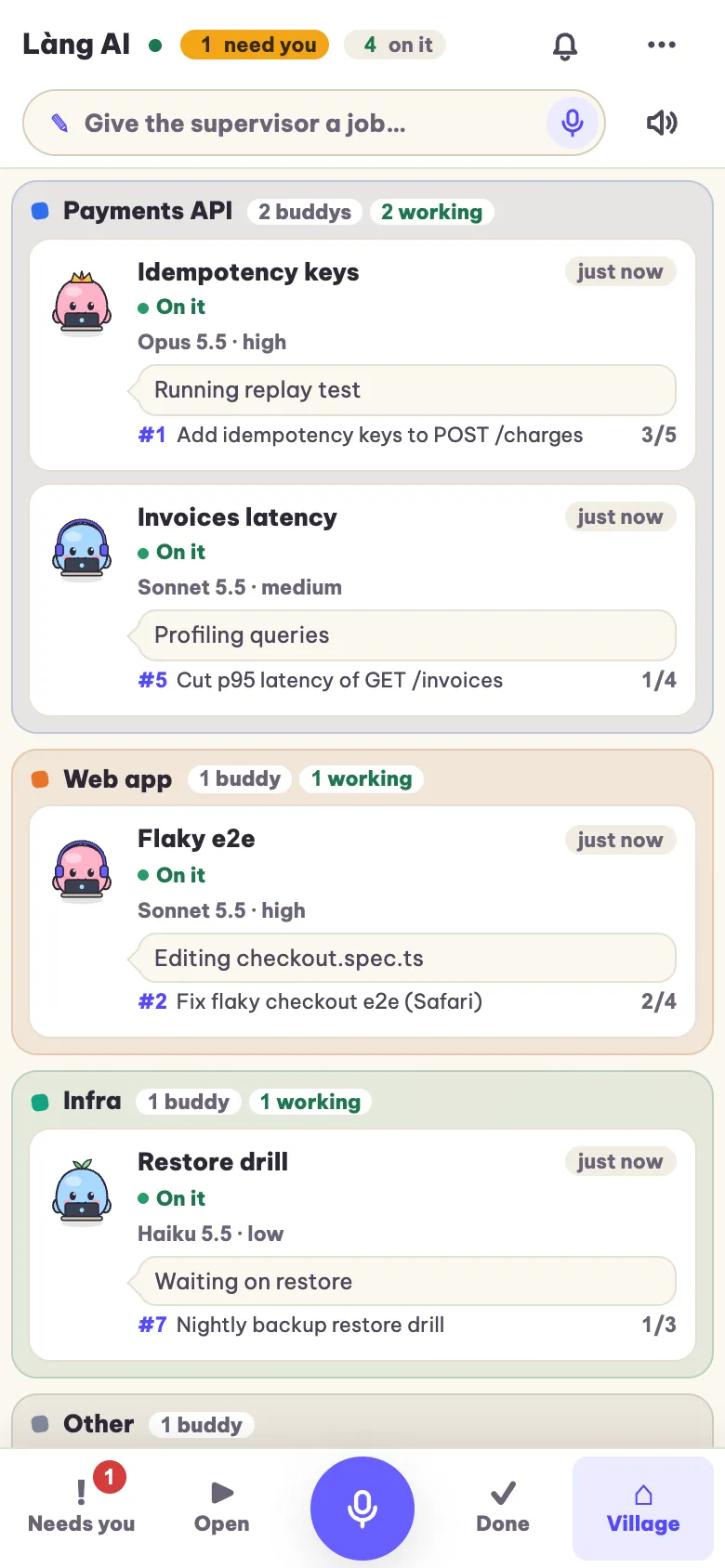
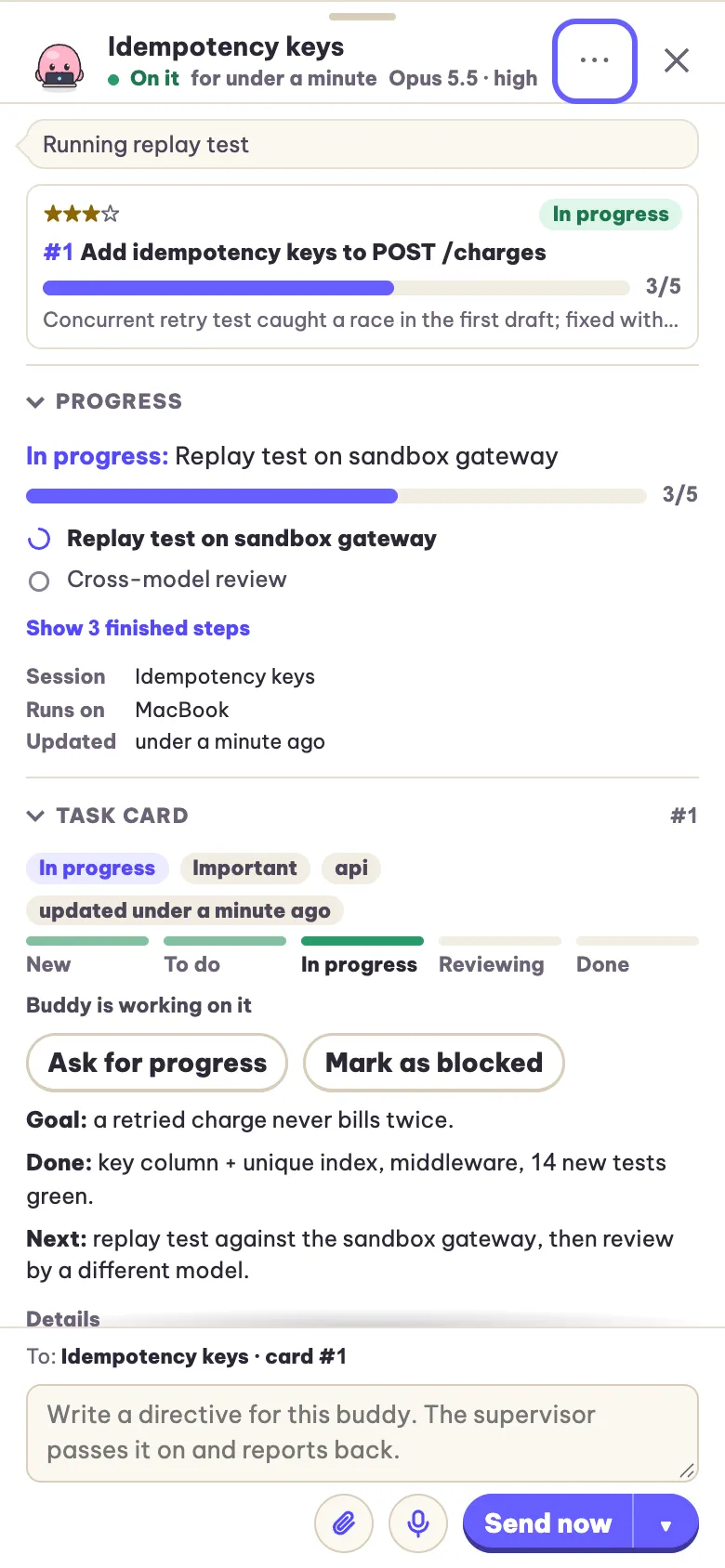
Screens from a demo board with made-up projects. Switch light or dark with the button at the top.
How it compares
These tables also show where other tools, Orca included, are ahead of Làng.
Ten terminals by hand vs. Làng
The same agents, the same subscriptions. What changes is who keeps track.
| Moment | By hand | With Làng |
|---|---|---|
| An agent has a question | It waits in a tab until you happen to look | It lands in one queue with a recommended answer, and your phone buzzes |
| An agent says “done” | You re-check it yourself | The card needs a link, screenshot or readback first; risky work gets a second model |
| A terminal crashed | The context is gone with it | Your answer restores the session or starts a new one from the card |
| One account hits its limit | You notice when it stops | New work goes to the account with headroom (Claude Code) |
| You are away from the desk | Nothing moves | Read, decide and assign from the phone, by voice if you like |
| Setup and cost | Nothing to install, nothing to learn | One paste to install; a board and a supervisor session to get used to |
Orca alone vs. Orca + Làng
Orca is the agent IDE; Làng sits on top. Many rows are already Orca’s strength.
| Need | Orca alone | Orca + Làng |
|---|---|---|
| Worktrees, terminals, diffs, browser | ✓ Built in, and polished | Same: Làng uses Orca for all of it |
| One agent splits work and starts workers | ~ Orchestration mode, experimental | ✓ A supervisor session that runs a job board, every day |
| Phone | ✓ Native iOS and Android app, chat with agents | ✓ Web app: a decisions queue, cards, voice; no app store |
| Board | ✓ Kanban of worktrees | ✓ Kanban of jobs: todos, proof, questions, history |
| Several accounts | ~ See usage, switch accounts by hand | ~ Places new work where there is headroom (Claude Code only) |
| Proof before “done”, second-model review | ? Not a stated built-in | ~ Rules the supervisor follows, plus a board gate against self-review |
| Cloud machines, Windows app | ✓ Remote runtimes and cloud VMs; native on every OS | ✗ Your own machine only; Windows through WSL |
| Community and maintenance | ✓ Large team, daily releases, plugins | ✗ One maintainer |
No Orca? Làng runs its workers in tmux or headless, on macOS, Linux and Windows.
Làng next to other tools
From each product’s own docs, checked on 16 Nov 2026. “?” means the docs did not say.
Swipe sideways to see every column →
| Tool | Runs on | Agents | Coordinator agent | Phone | Second-model review | Quota across accounts | Licence / price |
|---|---|---|---|---|---|---|---|
| Làng AI | Your machine (macOS, Linux, Windows via WSL) | ✓ Any CLI as worker; Claude Code as supervisor | ✓ | ✓ Web app | ~ Supervisor rule; the board blocks self-review | ~ Claude Code only | Free, noncommercial only |
| Orca | Desktop on every OS, SSH, cloud VMs | ✓ Any CLI | ~ Experimental | ✓ Native app | ? | ~ Usage view, manual switch | MIT, free |
| Claude Code web, Remote Control, Dispatch | Cloud + your machine | ✗ Claude only | ✓ Projects, Dispatch | ✓ Claude app | ✗ | ✗ | Claude plan |
| Codex app | Your machine, SSH, Codex Cloud | ✗ Codex only | ? | ✓ ChatGPT app (preview) | ✗ | ✗ | ChatGPT plan |
| GitHub Copilot coding agent + Agent HQ | Cloud (GitHub Actions) | ✓ Copilot, Claude, Codex | ✗ One PR per task | ✓ GitHub Mobile | ~ Several agents on one task | ✗ | Paid Copilot plan |
| Vibe Kanban | Your machine | ✓ 10+ CLIs | ? | ? | ? | ? | Apache-2.0; company closed, community-kept |
| Claude Squad | Your machine (tmux) | ✓ Several CLIs | ✗ | ✗ | ✗ | ✗ | AGPL-3.0, free |
Sources: Orca, Orca orchestration, Claude Code, Codex app, Copilot coding agent, Vibe Kanban, Claude Squad.
Made to sit on top of Orca, not replace it
Orca already gives you worktrees, terminals, a browser, a mobile app, a worktree kanban and account switching, and Làng adds a layer above that: a job board a supervisor runs, decisions sent to your phone, proof before done, cross-model review, and new work placed on the account with headroom. With Orca on macOS, workers open as Orca tabs with your account profiles. Without Orca, Làng runs workers in tmux or headless on macOS, Linux and Windows.
Where it stops
Here’s what to know before you install, rather than after.
- One person builds and maintains it.
- Claude Code is the only supervisor proven so far; the other CLIs work as workers.
- Quota tracking reads Claude Code accounts only, and the fullest experience is macOS with Orca.
- You need Python 3.9+ and at least one AI CLI already signed in.
- Phone use needs a private network or tunnel (Tailscale, LAN or Cloudflare Tunnel), set up once.
- The wording grew out of a Vietnamese team. The English in the app is complete, but you may notice the accent.
Questions developers ask first
Is it free to use for my job?
Not if your job is at a company. The licence is PolyForm Noncommercial 1.0.0: free for personal projects, hobbies, study, research, and noncommercial organizations such as schools, charities, public research and government. Personal use counts only without an expected commercial application. It is not for use in or for a business, not for resale, and not for building a commercial product or service. The source is available, but it isn’t OSI open source.
Do I need Orca?
No. Orca on macOS gives you the fullest version. Without it, workers run in tmux or as headless background processes, or you can use the board alone. It works on macOS, Linux and Windows 10/11.
Which agents does it work with?
Claude Code, Codex, Gemini CLI, Grok and opencode all work as workers. So far, Claude Code is the only one proven as the supervisor.
Where does my code go?
Nowhere new. The board runs on your machine and listens on 127.0.0.1 only, and your agents talk to their providers the same way they already do. The push service never sees the text of a notification. Voice goes to the speech provider whose key you add, or stays local with whisper.cpp. Feedback leaves your machine only when you press Submit on an issue that has already been stripped.
What does it cost to run?
There’s no fee for noncommercial use. You keep paying for your AI CLIs as you do now, and Làng tries to spend less of them by sending small jobs to small models and spreading work across Claude accounts. Voice is optional, and free with whisper.cpp or with Chrome on Android.
How do I remove it?
Ask your agent to run uninstall. It reads the ledger the installer wrote and removes exactly what was added; your board data stays unless you delete it.
Public release coming soon
Làng AI installs by pasting one sentence into the AI CLI you already use. That line goes live here when the code is public.
Public release coming soon.
Bản công khai sắp có.
Free for personal and noncommercial use, not licensed for work at a company. Needs Python 3.9+ and one AI CLI already signed in.